- AI Denis
- Posts
- AI Tool Test: Genie
AI Tool Test: Genie
I've tested it so you don't have to. Discover my first experiences with Genie.

Denis Panjuta
February 15, 2024
Hi,
Welcome to a new episode of...
I have tested it so you don't have to
Today, I want to share my first experiences with a brand-new AI tool with you.
A tool that aims to bring text to 3D right at your fingertips.
Wait, why is that even interesting?
Since my teenage years, I've been passionate about gaming, video content creation, and game development.
Once you dive into that rabbit hole, you quickly realize that creating custom 3D content is one of the most expensive and time-consuming tasks.
With the rise of AI, one of my biggest hopes was to generate 3D models with a single click. In that way, many independent developers and designers would be able to ease up the process of creating explorable worlds and stories.
Year after year has passed as I was searching and trying alpha and beta tools that claimed to “generate 3d models using AI”.
None of those tools that I discovered were able to produce any 3d models that were REALLY usable. They felt more like a tech-demo but light years away from getting used in real-world game and film productions.
You can't imagine how hopeful I was at the beginning of this week when I read about a tool called “Genie”.
Was it finally the 3d AI generation tool I was hoping for? Would it now finally be possible for independent film and game creators to generate 3d-rich content without spending years and tens of thousands of dollars on custom-created 3d models?
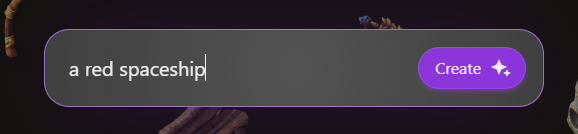
Within a single minute, I signed up for the tool. Fortunately, it's free to use as of right now. The web UI shows a single prompt input field.
Okay, now what should I put in there?
Let’s go with “a red spaceship,” definitely something that gets used quite a lot in a wide range of genres.
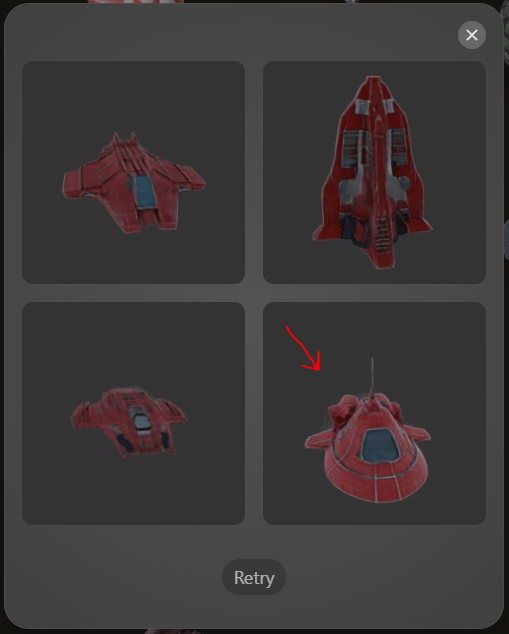
The first output shows four first drafts of your model. I kinda liked it, but the textures of the 3d model still looked a bit blurry.
Just like an eight-year-old who tried to craft a spaceship with clay. However, I decided to go with the fourth suggestion for my upcoming 3D model.
The “Create Hi-Res” button caught my eye.
It took a few minutes, but finally, my high-resolution model was ready to be used.
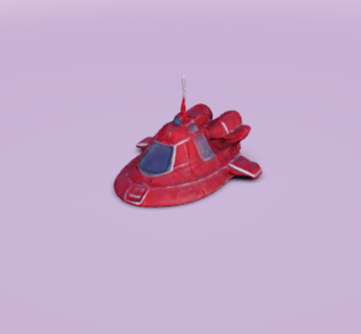
With a single click, I was able to export my AI-generated model, ready to be used for any kind of production.
Even though my sweet spaceship was a bit clunky and the textures were still a bit blurry, I was finally able to see tools that could truly be a game-changer for the ever-growing games and film industry. Especially for indie developers, but obviously, the same applies to bigger studios.
Oh, real quick: Are you enjoying this post? Great! Please consider sharing it with your friends or colleagues. It only takes a minute but really helps in spreading the word about the coolest AI updates 🚀
Lumalabs, the developers of Genie, made an important step and are at the forefront of making it possible for everyone to create whole new worlds and experiences ready to be shared with the world.
It definitely made my week. If you are someone who likes to get creative, I highly recommend you just give it a shot.
What a crazy time we live in 🚀
Denis
Did you enjoy this post? |